
Find keyword veins in minutes.
SEO Vein Finder turns a single seed keyword into a sorted list of winnable long-tail opportunities you can actually rank for.
See it in action
A quick tour of the actual screens — from the first search through to a published article.
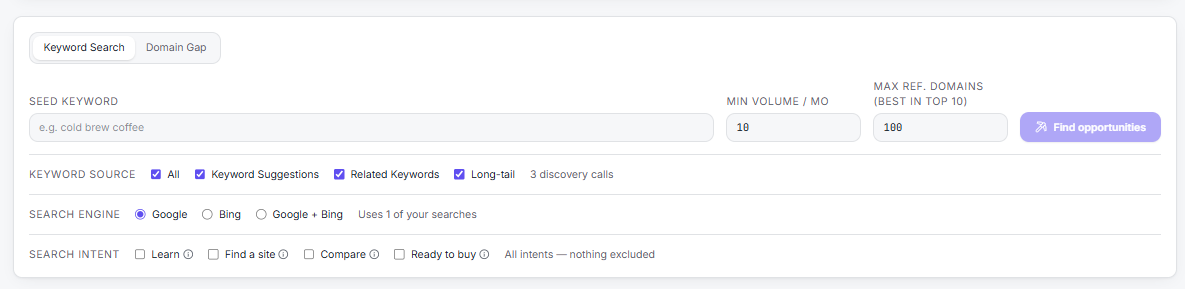
Start a search
Enter a seed keyword, choose where the ideas come from — keyword suggestions, related keywords, long-tail, or all three — pick your search engine, and set volume, competition and search-intent filters before anything runs.
Watch: Setup & Keyword Search (8 min)
See exactly what was checked
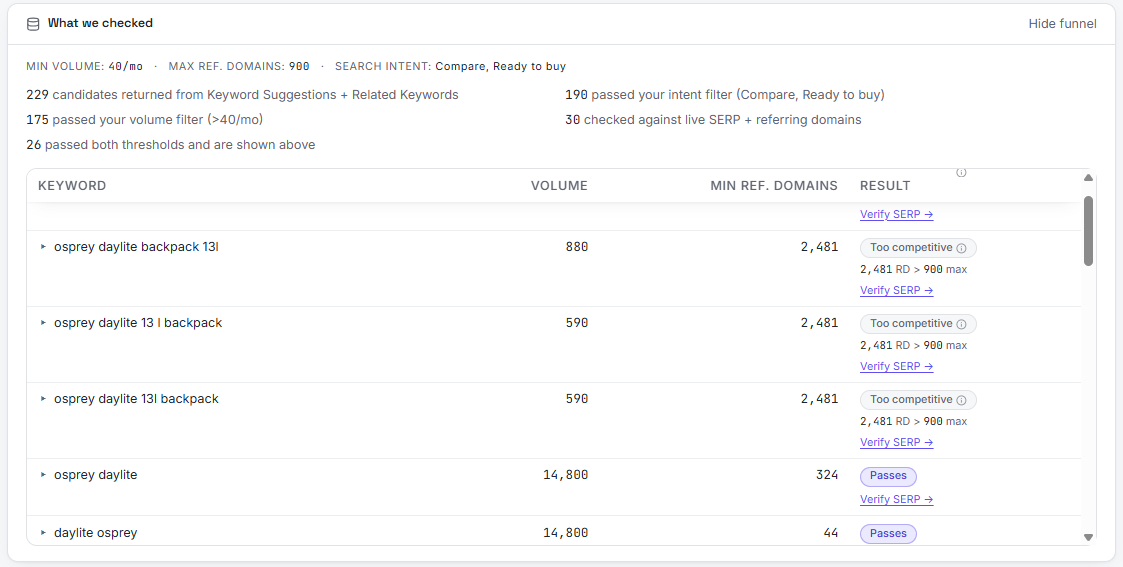
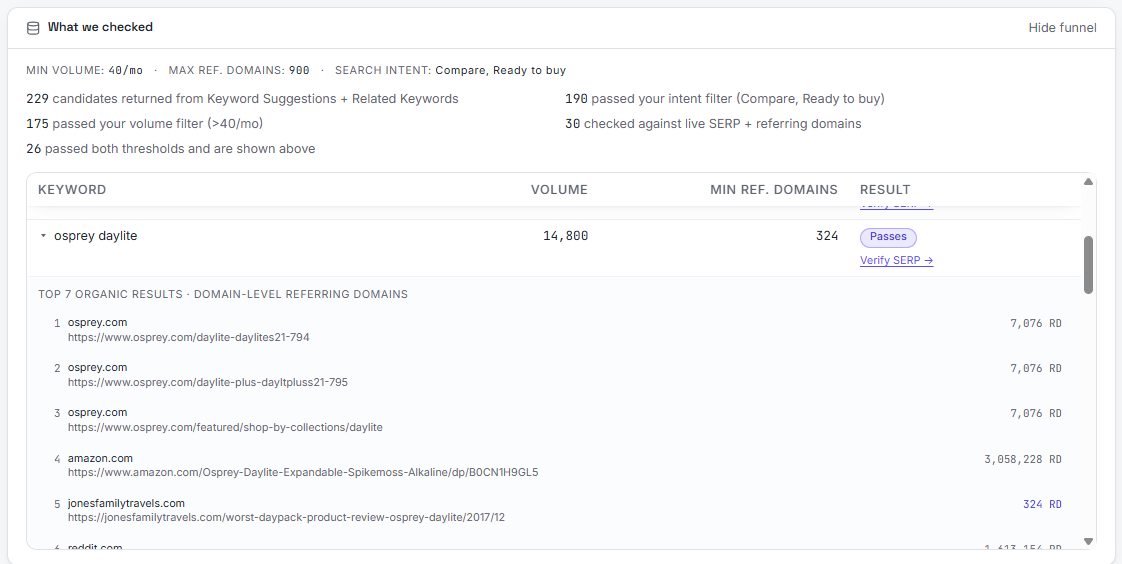
The funnel shows how many candidates came back, how many survived each filter, and why a keyword was skipped. Expand any row to see the real page-one results and their referring domains.
Claim keywords into a content plan
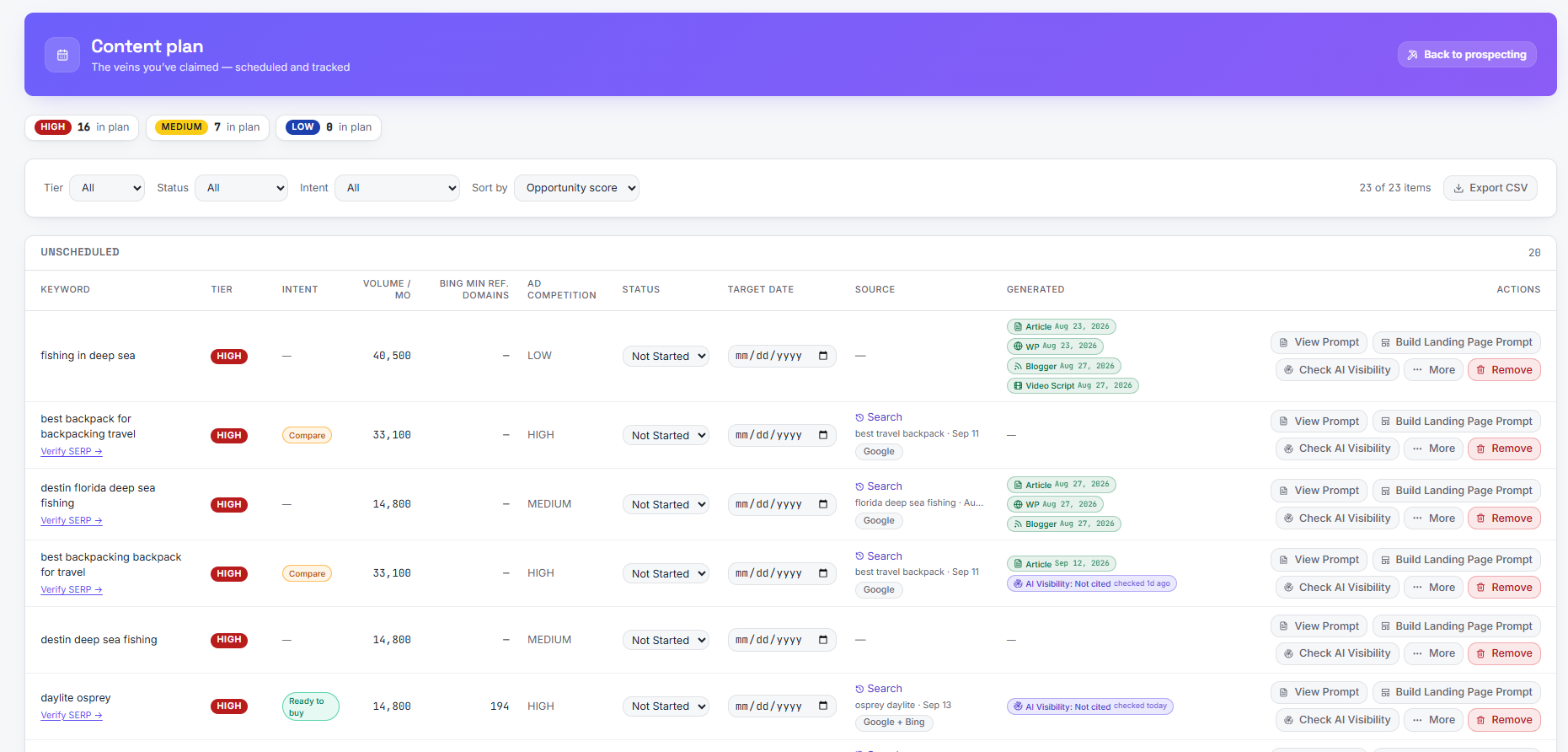
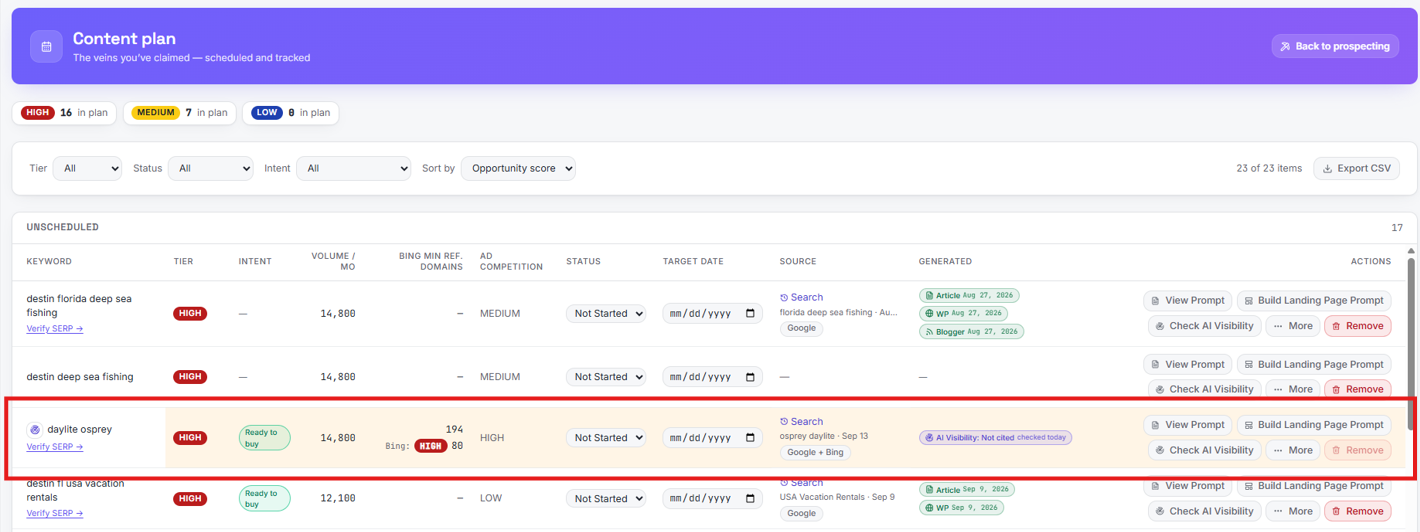
Winners move into the Content plan, grouped by month with tier, intent, volume and competition alongside. Set a target date and status for each one and track what has already been generated or published.
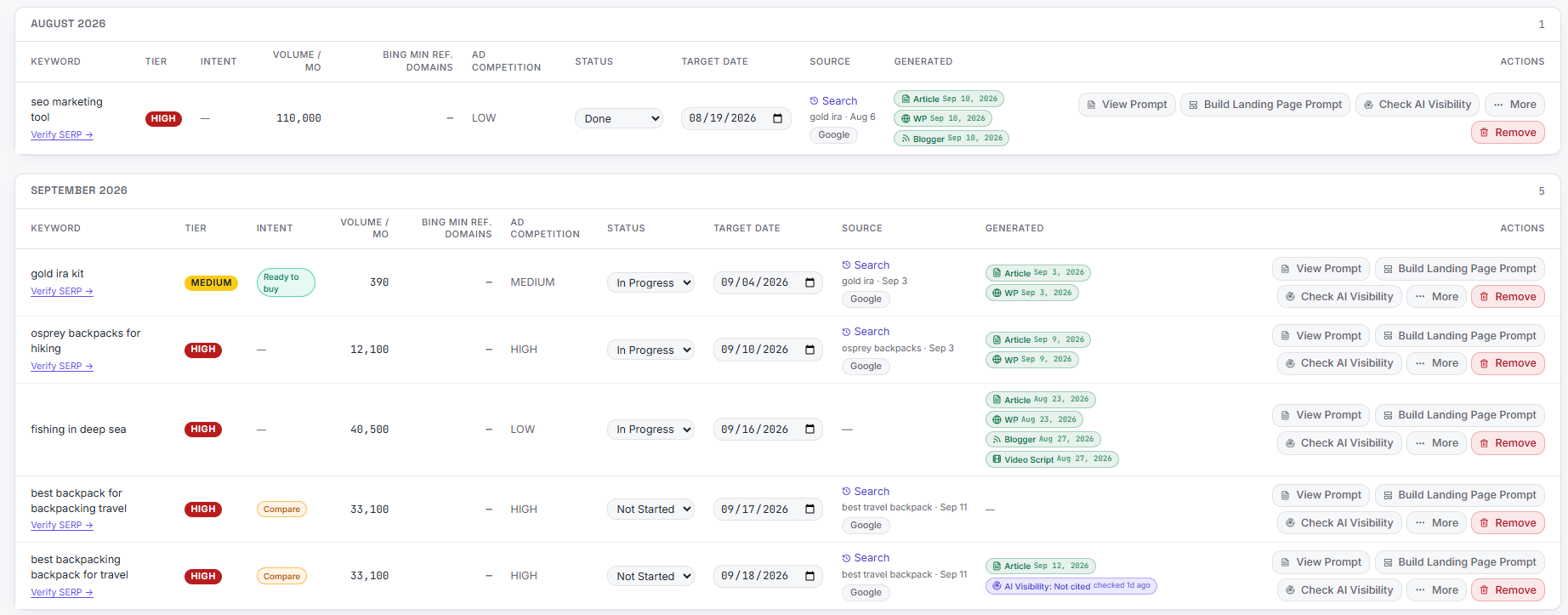
Check your AI visibility
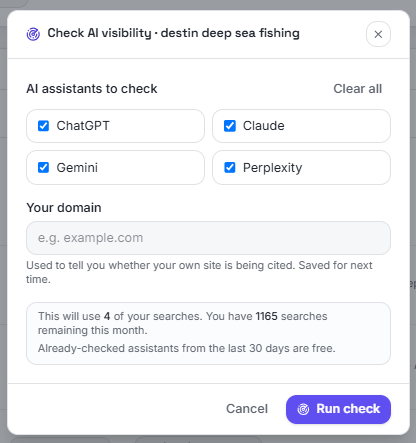
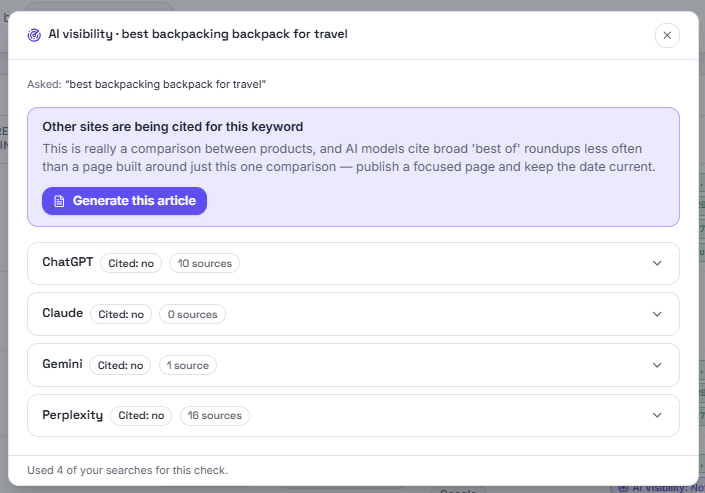
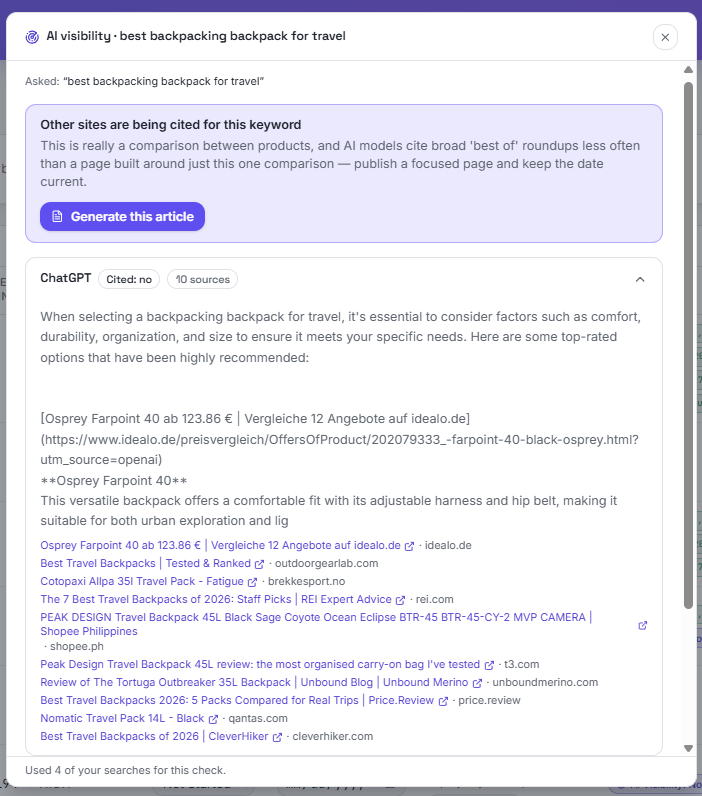
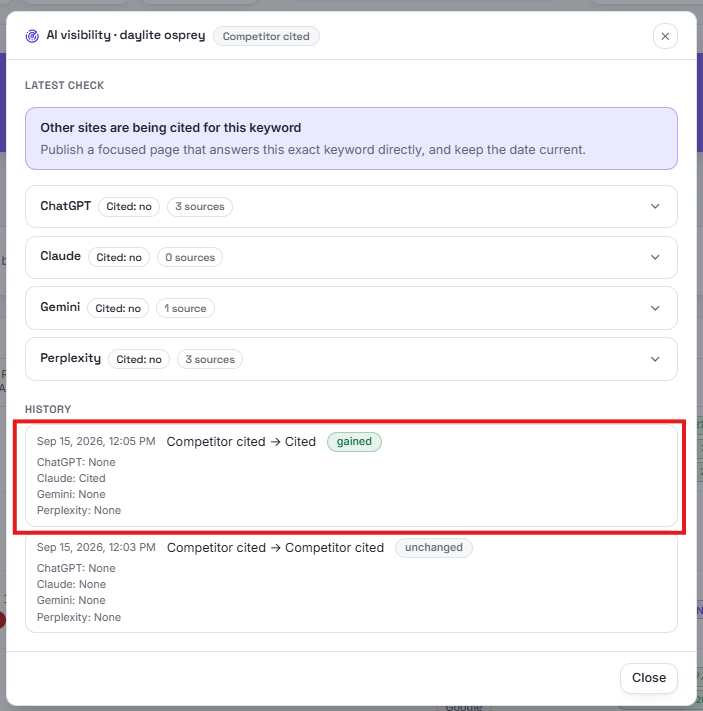
Ask ChatGPT, Claude, Gemini and Perplexity the same question and see whether your site gets cited. You get a plain recommendation, per-assistant answers and the exact sources each one used.
Track your AI visibility over time
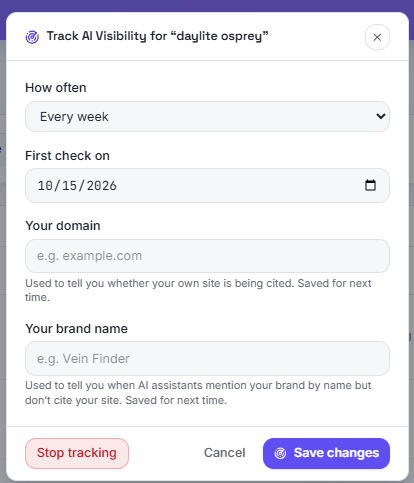
Don't check once and forget it — put a keyword on a schedule. Choose how often to run checks, then set your domain and brand name so the tool can tell you whether you are the one being cited. A radar icon appears next to tracked keywords, the header counts new results you haven't seen, and every automated check is logged so you can see gains and losses over time.
Watch: Track AI visibility for your page and competitors (1½ min)

Generate the article
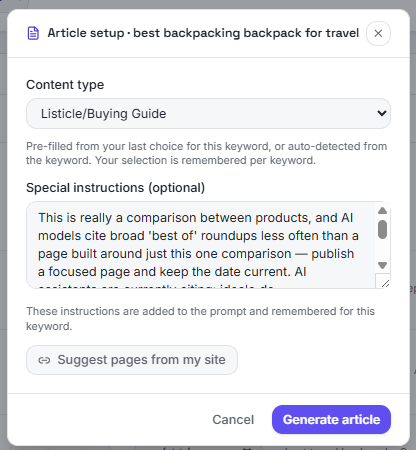
Pick a content type and add special instructions — both remembered per keyword. The recommendation from the visibility check flows straight into the brief, and the draft comes back ready to review. Click "Suggest pages from my site" and it pulls in pages and posts you've already published, weaving them into the article so your pages interlink.
Watch: Generate the article (6 min)
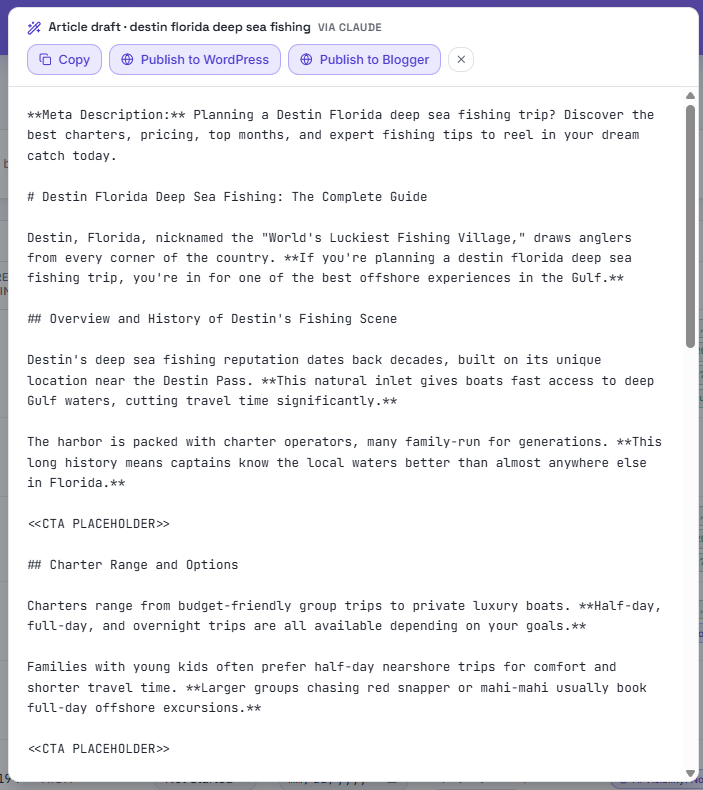
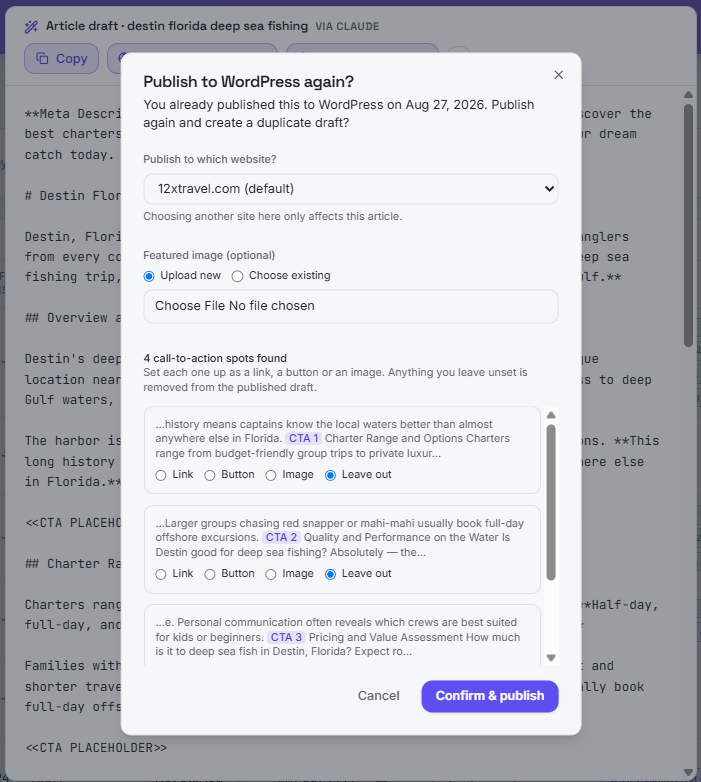
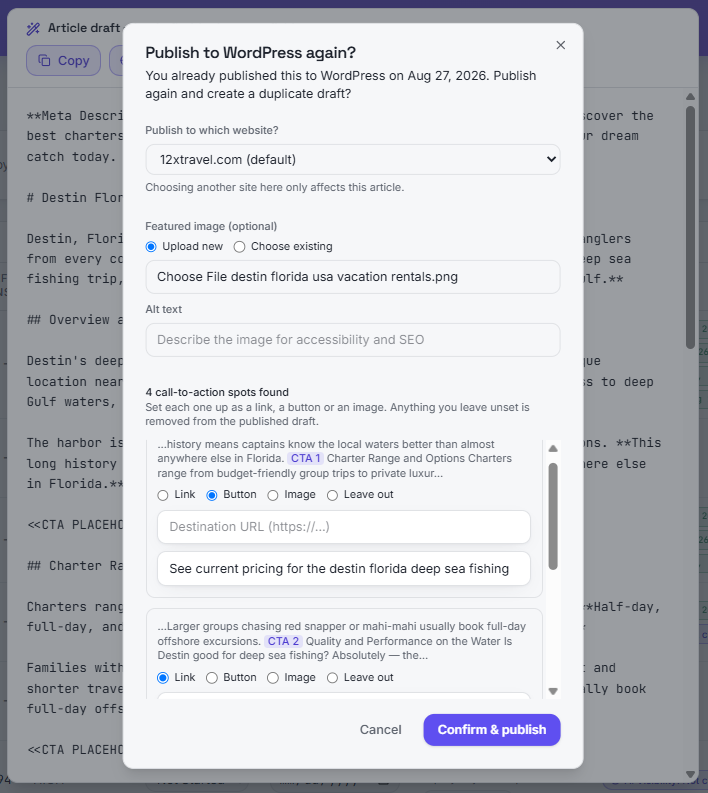
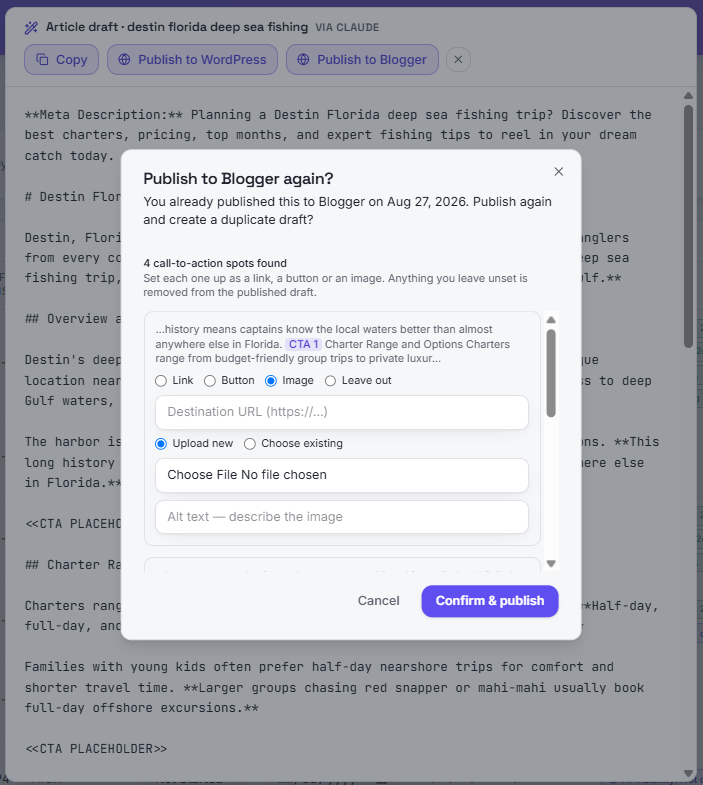
Publish to WordPress or Blogger
Send the draft straight to your site. Add a featured image, and turn each call-to-action placeholder into a link, a button or an image — or leave it out. Publishing credentials are stored encrypted.
Turn a keyword into a video script
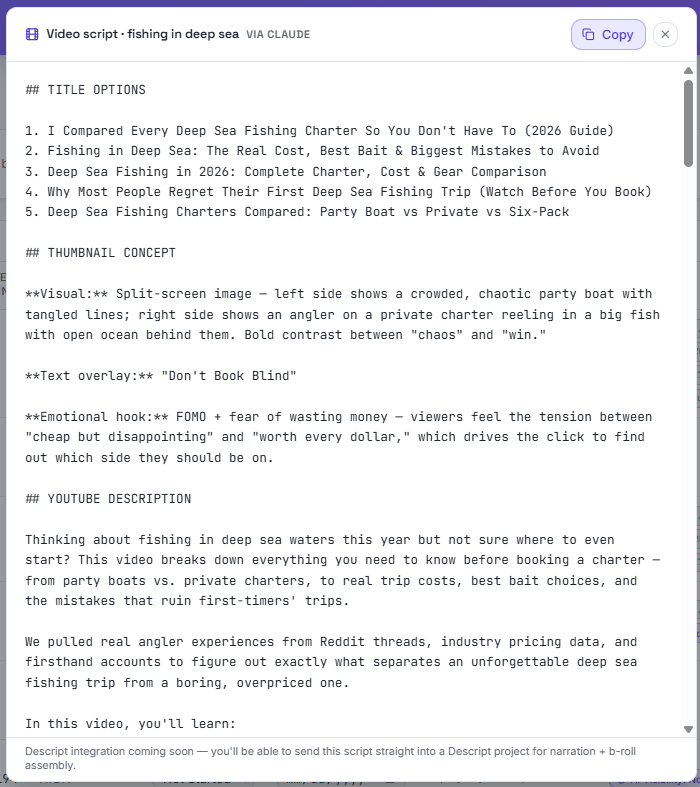
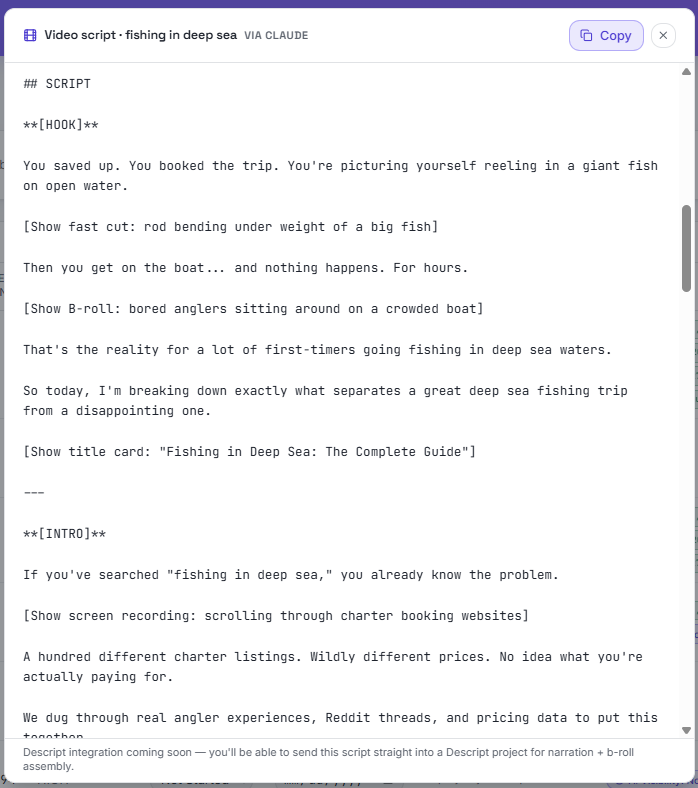
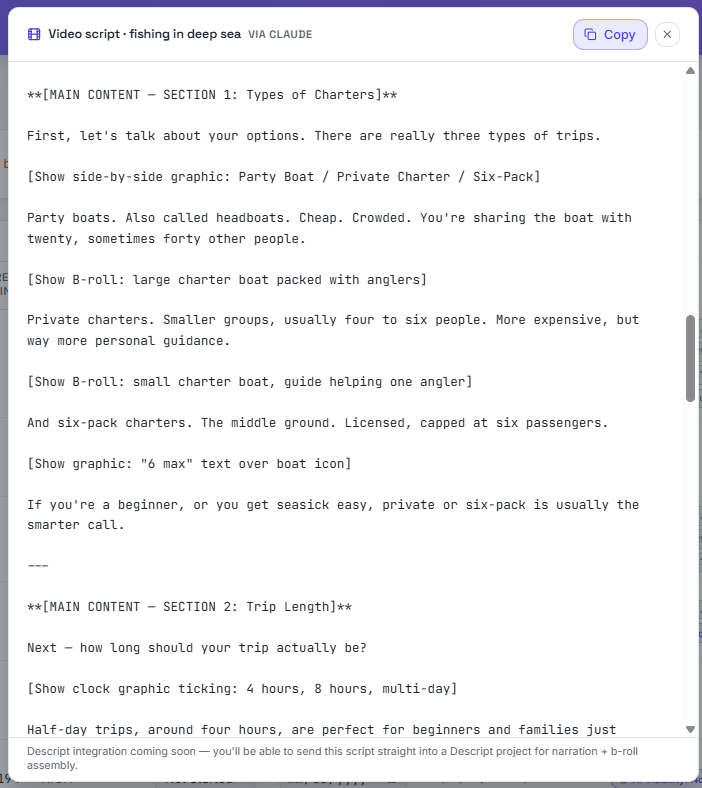
The same keyword can produce a full video script — title options, a thumbnail concept, a YouTube description, and a shot-by-shot hook, intro and main sections.
Build a one-page site, export your plan, and get reached
Use the Build Landing Page Prompt action to generate a complete prompt for a one-page website, paste it into Lovable and get a working site built around your keyword. Export your whole content plan to a CSV file whenever you want a snapshot, and the contact page is there so visitors and customers can always reach you.
Watch: Build a one-page site, export to CSV & the contact page (2¾ min)
Nothing gets lost
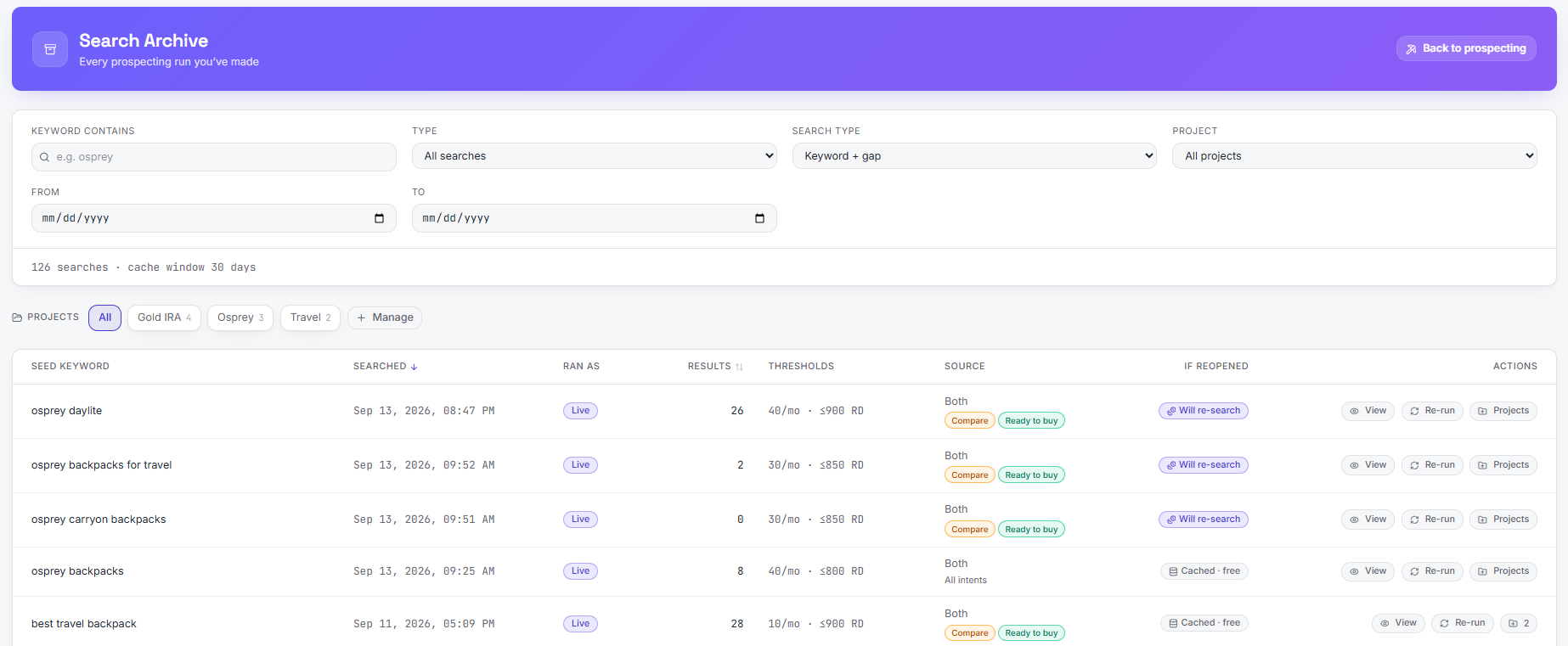
The Search Archive keeps every prospecting and gap run you've made — filter by keyword, date or project, reopen the saved results, or re-run the search when you want fresh numbers. The tour below also walks through the AI Visibility screens and the Content Plan.
Watch: Archive, AI Visibility & Content Plan (2½ min)
The short version
Most keyword tools stop at search volume. SEO Vein Finder checks the real top-ranking pages for each keyword and surfaces the ones weak enough to outrank. You pick your thresholds, run a search, review the results, and move the winners straight into your content plan.
Start with a seed keyword
Enter a broad keyword related to your niche — for example, "backyard gardening" or "project management software". This is the starting point the tool expands from.
Set your thresholds
Use the minimum monthly search volume and maximum referring domains filters to define what "winnable" means for your site. The defaults are a good starting point, but you can tighten or widen them anytime.
Review the opportunity table
Each row shows a long-tail keyword, its search volume, the referring domains of the weakest ranking page, and a gap score. Lower gap scores mean the keyword is easier to win.
Inspect the SERP map
Switch to the map view to see how the top results cluster. It helps you spot sub-niches and decide whether a keyword fits your site's authority level.
Build your content plan
Click "Add to plan" on any keyword you want to pursue. Your saved keywords live in the Content Plan page, ready to be turned into article briefs or full drafts.
Generate or write the content
From the Content Plan, generate a draft with your own AI key, or export the brief and write it yourself. You control the provider and the cost.
Tips for the best results
- •Start broad, then narrow. A seed like "running shoes" gives hundreds of ideas; add a niche modifier if the list is too large.
- •Trust the gap score, but read the SERP. A low score is a signal, not a guarantee — click through to the live results before you commit.
- •Save promising keywords even if you are not ready to write. The Archive keeps every search, so you can come back later.
- •Re-run the same seed monthly. Competition changes, and a keyword that was too hard last quarter may become winnable later.
Ready to try it yourself?
Run a real search, or watch the demo with a pre-filled keyword.